
Hand a grant to another teammate
Give your teammate the current draft, the next deadline and a clear first task.
Tools used: Applications · Workspace · Library
Before you start: Sign in to your organization and have access to the application and source files used in these steps.
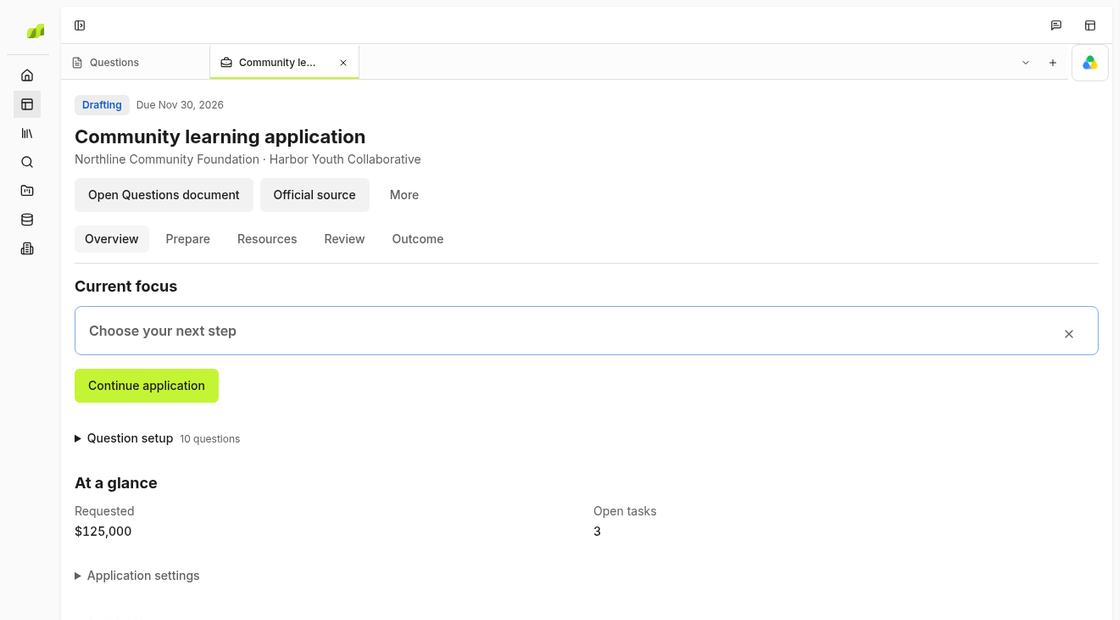
Update the application status
Open the grant in Applications and record what’s done, what’s missing and when it’s due. Name the missing item, such as a signed partner letter. If you already won the grant, check Awards for the next report or payment date.
Write down decisions and open questions
Leave a note in Workspace with the requested amount, why you’re applying and anything the team already agreed to. Give each open question an owner. For example, “Jordan will confirm the participant target by Tuesday.”
Share the files and check portal access
Share the current draft, budget and reports through Library. Ask your teammate to open them. If they’re submitting the application, ask them to sign in to the funder’s portal too.
Set the new owner and record the next step
In Application settings, update Owner and write the first step and its due date in Pipeline notes. Ask your teammate to check the deadline and flag anything they still need.