
Find grants for your program
Search for grants by program and location, check who can apply and save a search to run again.
Tools used: Find funding · Search and filter · Saved views
Before you start: Have a short description of the program, where it operates and the type of organization applying.
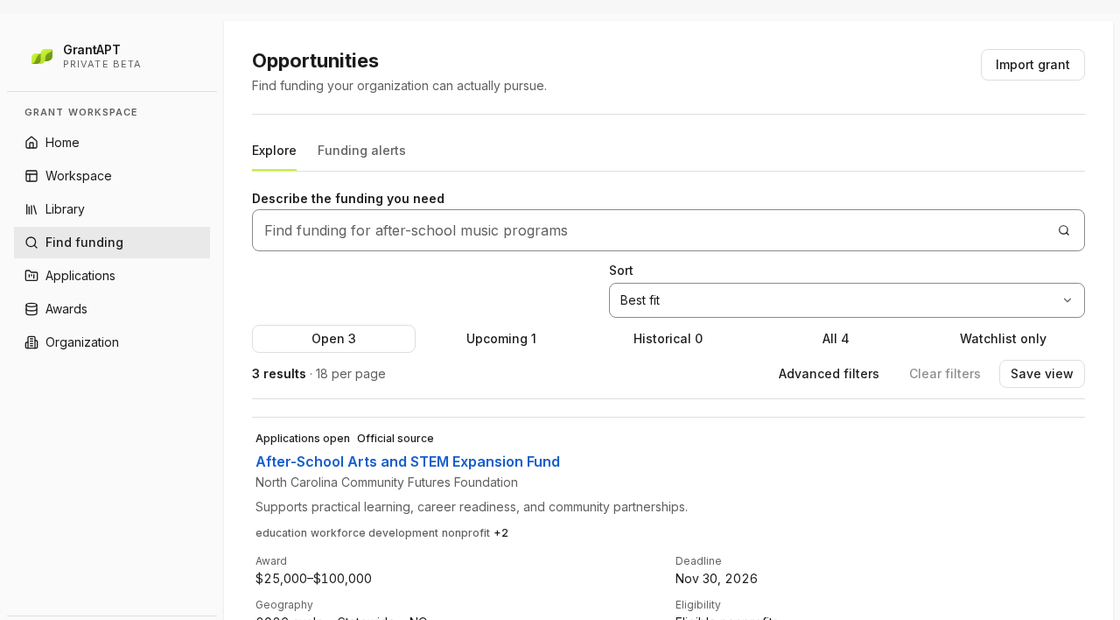
Describe the work you want funded
Open Find funding and search for a program, location and group you serve. Try “after-school STEM for middle school students in North Carolina.”
Narrow your search with filters
Open Advanced filters and set Applicant type, Primary topic and Deadline type. Select Apply filters to see the results. If you get too few, remove a filter or select Clear filters above the results.
Read the funder’s notice
Open a result and choose Open official source. Check who can apply, where the program must operate and what to submit. If the notice and the summary disagree, ask the funder before starting a draft.
Save the search to use again
Choose Save view and give the search a name such as “NC youth STEM grants.” Return to it under Saved view. When you decide to apply, create the application and give someone the first task.