
Review an application before submission
Check the questions, figures and attachments before submitting to the funder.
Tools used: Applications · Workspace · Library
Before you start: Sign in to your organization and have access to the application and source files used in these steps.
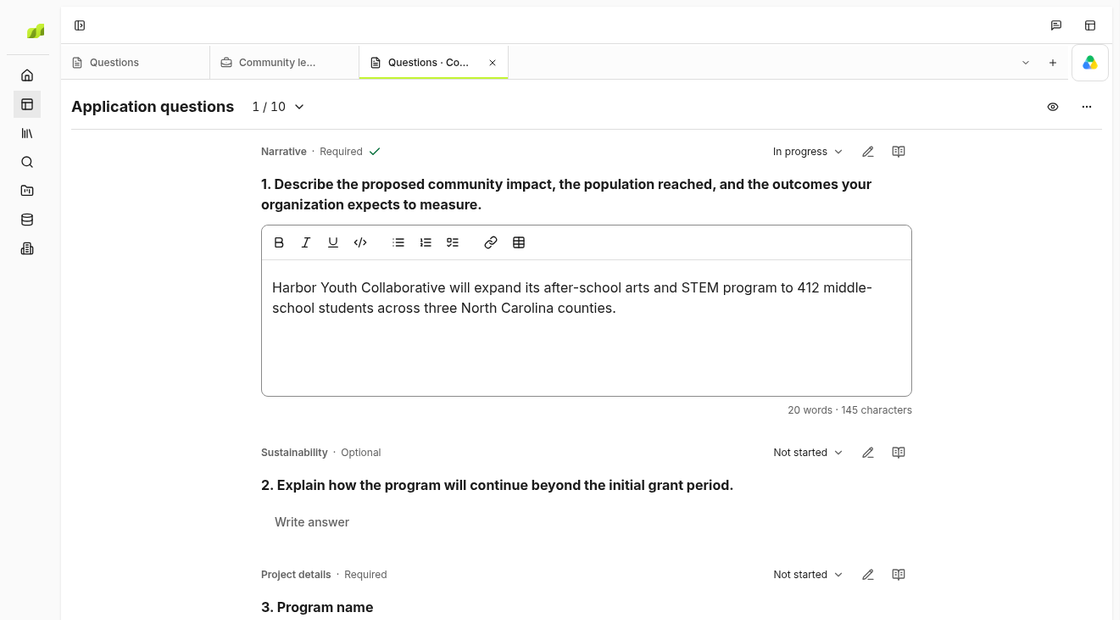
Check every required question and attachment
Open your draft in Applications and check Questions against the funder’s instructions. Record missing answers or files in Pipeline notes. Check word limits in the portal, where formatting and counts may differ from the draft.
Check figures against your files
Compare the draft with the original reports in Library. If the draft says you served 200 students, make sure the report says that too. Keep last year’s results separate from what you hope to achieve with this grant.
Ask finance to check the budget
Compare the request amount and dates in the draft with the budget. Ask finance to check the totals and assumptions. Replace old attachments and fix any answers that used them.
Assign someone to submit and save the receipt
Check that the person submitting can sign in to the funder’s portal. After they submit, save the final files and receipt in Library and update the record in Applications.