
Keep track of an award
Use Awards to track your budget, payments and reports after you receive a grant.
Tools used: Awards · Budgets · Payments · Library
Before you start: Have the executed award agreement, approved budget and reporting instructions available.
Open the award and check the agreement
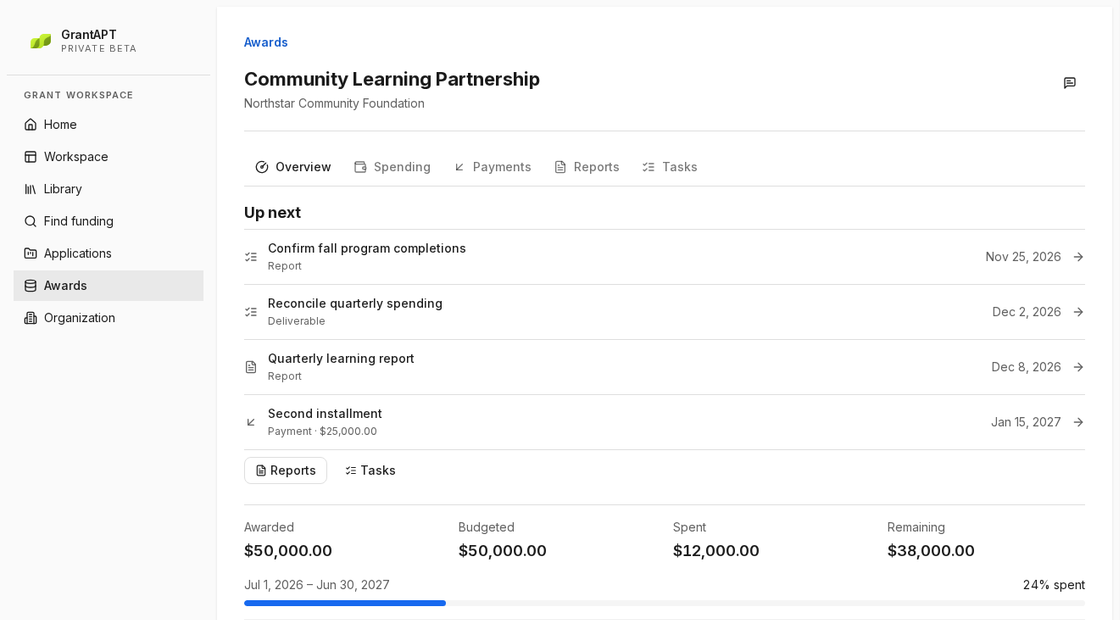
Choose Awards and open the grant. Compare the award period, budget and report deadlines with the signed agreement. Check Reports due · 30 days to see which award needs attention first.
Assign someone to collect each item for the report
Read the reporting instructions and open Tasks on the award. Set a due date for each input and record who will provide it in Notes. For example, ask the program lead for the count of students who finished this semester.
Check spending and program results
Ask finance to compare the figures in Awards with your accounting records. Ask the program lead which activities took place and how many people participated. If spending changed, check whether the agreement requires the funder’s approval.
Save the report and submission receipt
Send the report as the funder directs. Save the report, supporting files and receipt in Library. Update the next report date or payment milestone in Awards.