
Plan your grant week in GrantAPT
Use Applications and Awards to see what’s due this week and decide who will handle it.
Tools used: Applications · Awards
Before you start: Sign in to your organization and have access to the application and source files used in these steps.
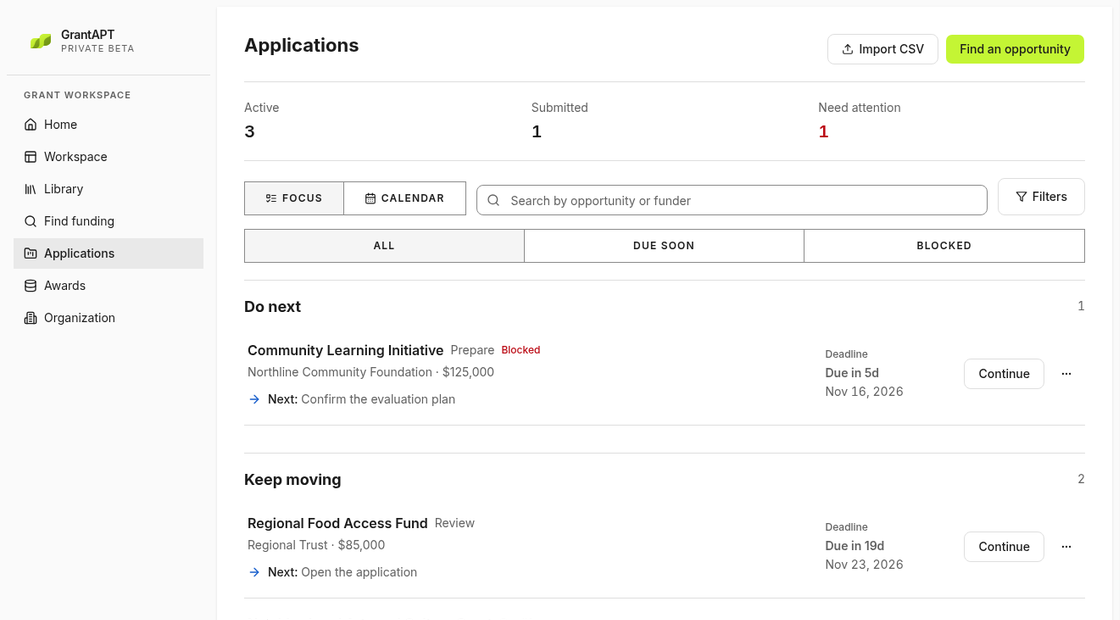
Check application and report deadlines
Open Applications for upcoming submissions and Awards for reports and payments. Compare the dates with the funder’s current notice or your award agreement.
Record who will get the missing information
Open Application settings to check the Owner. In Pipeline notes, name the missing item and who will get it. For example, “Jordan will confirm last year’s participant count by Tuesday.”
Leave time to check the draft and budget
Open Review on the application and work backward from the funder’s deadline. Give your program lead time to read the draft and finance time to check the figures. Leave time to enter the answers in the portal.
Update your notes at the end of the week
Filter Applications to find blocked work. Update Pipeline notes with what’s finished and write down any missing item, who will handle it and whether it puts a deadline at risk.