
Prepare source files for an application
Keep the right program reports, budgets and policies in Library so your team can find them while drafting.
Tools used: Library · Organization profile · Workspace AI
Before you start: Sign in to your organization and have access to the application and source files used in these steps.
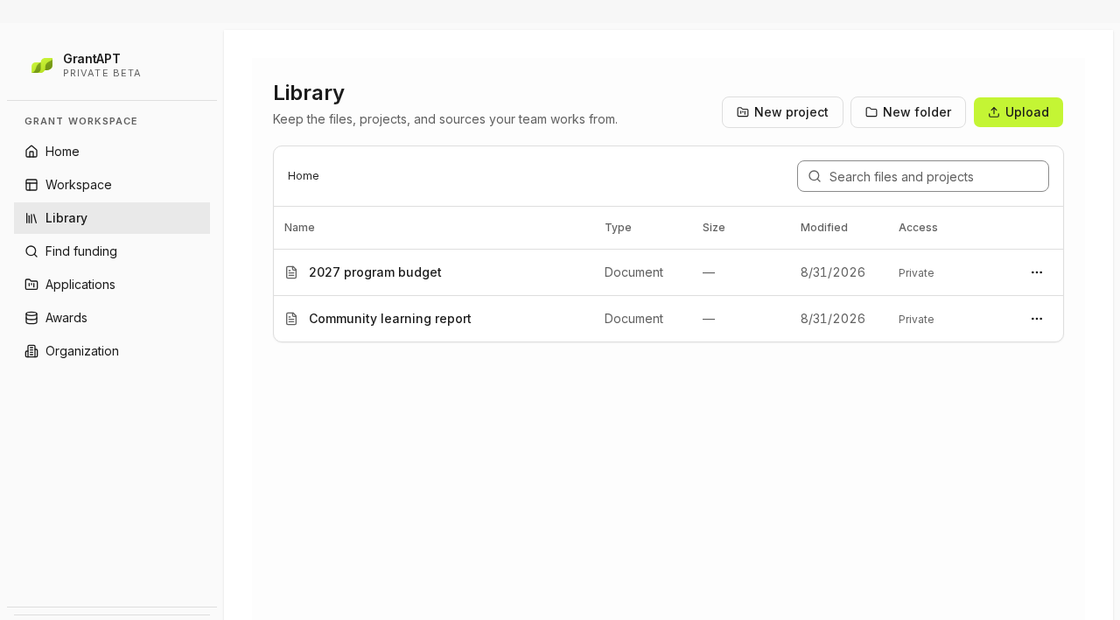
Collect files for the questions you need to answer
Read the application first. Upload the program overview, outcomes report and current budget to Library. Group them in a project or folder and name each report by program and year.
Check which figures your team can use
Ask the person who owns the report or budget which version to use. If a report lists 240 participants, check whether that means people who enrolled or people who completed the program. If shared details have changed, go to Organization and open Profile to update them.
Use the files to draft one answer
Open the application question in Workspace. Use Add to chat and Reference workspace files to attach the report, then ask the agent to draft the answer in the application. Select Review changes to open the proposed answer and Accept all to save it. Use Open source to see the saved answer in Questions.
Keep the files you used for the submitted application
When you replace a working file, tell your team which version to use. Keep the budget and reports that went with the final application so you can find those figures later.